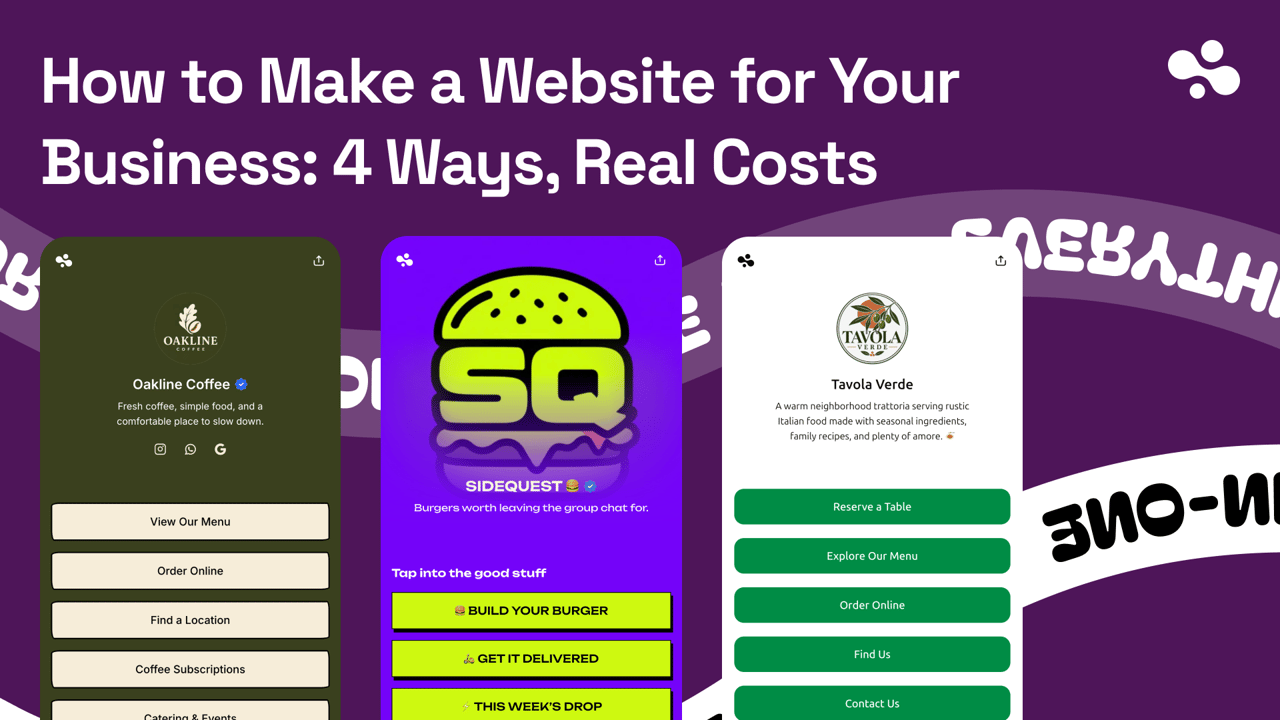
To make a website for your business: decide the one job it has to do (calls, bookings, quotes or orders), pick the cheapest route that does that job, put six things on it, then link it from your Google Business Profile, your Instagram bio and a QR code on the counter. Doing it yourself costs $0 to about $360 in the first year on entry plans. A designer adds a few hundred dollars to four figures. For most local businesses, the right route is a one-page site you can finish today.
Checked October 2026 against the vendors' own pricing pages and help centers (Wix, Squarespace, WordPress.com, Square, Shopify, Hostinger, Google Sites, Google Business Profile, Cloudflare Registrar and ICANN), Upwork's designer-rate guide, the BrightLocal, Clutch and Whitespark surveys, and InBio's product. Carrd's prices were checked 13 October 2026.
Step 1: Write down what the site has to do
A local customer opens your site with one question: can this business do what I need, and how do I get it? In BrightLocal's 2026 survey of 1,002 US consumers, 54% checked the business's website after reading positive reviews, up from 32% in 2019. They already like you. The site's job is to confirm it and make the next step one tap.
That takes six things, in the order a customer needs them:
- What you do, and where. "Mobile dog grooming, Austin" beats a slogan.
- How to reach you. A phone number that calls on tap, plus text or WhatsApp if that's how you work.
- The next step. Book, ask for a quote, or see the menu.
- Services and prices. "From $45" is enough.
- When and where. Hours as text, not a photo of your door sign. Then the address and a map, or the towns you cover if you go to customers.
- Proof. Photos of real work, and a link to your Google reviews.
Build it for a phone. Google announced on 31 October 2023 that its move to mobile-first indexing was complete, so the phone version of your site is the one Google reads. It's also the one your customers are holding.
Then mark the one job that matters most. For a barber it's booking. For a plumber it's the call. For a café it's the menu and the hours. That job decides the route.
Or decide you don't need one yet
Plenty of businesses run without a website. In Clutch's 2025 survey of 406 US small-business owners, 17% had none, and the top reason was "not relevant to my industry", not cost. If your diary is full from referrals and your Google profile is complete, it can wait. If people find you on Maps or Instagram and then have to message you to ask a price, it can't. Do I need a website for my business? splits the answer by how customers find you.
Step 2: Pick one of four routes
The routes are one page, Google Sites, a website builder, or a designer. Here's what each costs, checked October 2026, with yearly figures worked out from the monthly price billed annually.
| Route | Year one | Year two | Time to live (our estimate) |
|---|---|---|---|
| One page: InBio | $0 Free; $90 Pro; $290 Business | Same | Minutes |
| One page: Carrd | $0; about $30 with Pro Standard ($19) and a .com | About $30 | About an hour |
| Google Sites | $0 on Google's address; about $11 with a .com | Same | An afternoon |
| Builder: WordPress.com Personal | $48, domain included | $48 plus the domain renewal | A weekend |
| Builder: Wix Light / Core | $213 / $357, domain included | Same plus the domain renewal | A weekend |
| Builder: Squarespace Basic | $228, domain included | $228 plus the domain renewal | A weekend |
| Builder: Square Online Free | $0 plus 3.3% + 30¢ per online sale | Same | A weekend |
| Designer | A few hundred dollars to four figures, plus the platform | The platform's fee | Weeks |
And what each can do:
| Route | Bookings | Quote or contact form | Selling | Your own domain |
|---|---|---|---|---|
| InBio | Built in (Business) | Built in (Pro) | Digital downloads (Business) | No |
| Carrd | Embed another tool (Pro Standard) | Pro Standard | Stripe or PayPal buttons (Pro Standard) | Pro Standard |
| Google Sites | Link out | Insert a Google Form | None of its own | Yes, bought from a registrar |
| Wix | From Core | — | From Core | Any paid plan |
| Squarespace | — | — | Yes, 2% fee on Basic | Yes |
| Square Online | — | — | Yes | Not confirmed on Free |
A dash means we didn't check it. The builders' free domain covers year one only, and we couldn't read their renewal prices; a .com costs about $11 a year at cost, so budget at least that. Prices are US: Wix calls its dollar prices "for reference only", Squarespace shows prices by location, and VAT or GST is added outside the US.
A one-page site: findable today
One page with what you do, tap-to-call, the map, photos and one action does most of what a salon, a trade, a café or a freelancer needs. It's quick because there's nothing to plan: no menu, no page tree, no blog.
InBio is the one we make. You get a clean page at in.bio/yourname in minutes, with your phone number as a tap-to-call icon, a live Google map, photo galleries and links on every plan, Free included. A quote form is on Pro ($9 a month or $90 a year). Booking from your own weekly hours is on Business ($29 a month or $290 a year), paid through your own Stripe. The limits, in one line: no custom domain, no opening-hours block (write hours as text), no reviews embed, and selling is digital downloads only.
Carrd is the other good one-page builder. Its free plan carries "Made with Carrd" branding. Pro Standard, at $19 a year, adds your own domain, forms, and embeds from other tools. Pro Lite ($9 a year) has none of those three.
Section by section, with examples: the one-page website for a small business.
Google Sites: several pages, no frills
Google says "you can create a website for personal or business use with Google Sites." You pick a template, add pages, and click Publish. Google's help pages list no price: you sign in with a Google account and publish on Google's address.
It does the basics and stops there. There's no form builder of its own, so you insert a Google Form. There's no booking or checkout, so you link out. You can connect a domain you already own, but the address must include a subdomain such as www. Buying a domain inside Sites needs a Google Workspace plan.
Pick it if you want several pages and don't mind a plain look. Setup and limits: Google Sites for business.
A website builder: pages per service, a store, a blog
A builder is the route when you need more than one page. Checked October 2026:
- Wix: free on a
wixsite.comaddress with a Wix banner ad. Light is $17.77 a month billed yearly. Payments and scheduling start at Core, $29.77. - Squarespace: no free plan, a 14-day trial. Basic is $19 a month billed annually or $25 monthly, with a 2% fee on online-store sales; Core ($29) drops it to 0%.
- WordPress.com: free on
yoursite.wordpress.comwith WordPress.com ads. Personal, $4 a month billed annually, removes them. - Square Online: no monthly fee, on a
square.siteaddress, and 3.3% + 30¢ per online payment. Plus is $49 a month per location. - Shopify: for a real product store. Basic is $19 a month billed yearly or $25 monthly.
Watch year two. Squarespace says domains from its free-year offer "will renew at our standard rate". Low headline prices can also hide a prepay: Hostinger's $2.49 a month needs 48 months paid up front, then renews at $10.99 a month.
Hiring a designer: you pay for time, then for the platform
A designer builds on one of the platforms above, so you pay twice: once for their time, then every year for the platform.
Upwork's guide gives typical rates from its contracts worldwide: $15–40+ an hour for a basic one-page site, $20–50+ for WordPress or a similar system, $45–75+ for full custom work. A very small project runs about 10 hours. A large custom one runs to "several dozen hours", which puts it in four figures. A local designer may quote well above those worldwide ranges.
It's worth it when you have the budget and no time, or need something a template can't do. Two rules either way: register the domain in your own name, and get the logins to everything.
Two years, three routes: a plumber's numbers
A plumber needs the call and a quote form. Over two years, at October 2026 prices:
- Google Sites with a Google Form and a .com: about $22.
- InBio Pro ($90 a year): $180, with tap-to-call, the map, photos and the quote form on one page.
- Wix Light: $426, plus the second year's domain at Wix's rate.
All three take the call and the quote. The extra money buys pages per service and your own address.
Which route fits your business
| Your business | The one job | Start with |
|---|---|---|
| Salon, barber, nail or lash tech | Booking | A one-page site holding your booking app's link, or one with booking built in |
| Plumber, cleaner, handyman | The call and the quote | A one-page site with tap-to-call and a quote form, or Google Sites with a Google Form |
| Café, restaurant, food truck | Menu, hours, where you are | A one-page site with the menu, hours as text and the map |
| Shop selling physical goods | Orders and shipping | A builder with a store: Square Online, Wix from Core, Shopify |
| Freelancer, consultant | Portfolio and inquiries | A one-page site with galleries and a contact form; a builder if the portfolio is deep |
| Wants to rank for each service | A page per service | A builder on your own domain |
Chair-based businesses. If you already pay for Booksy ($29.99 a month), Vagaro or Square Appointments, that tool is your booking system. Your site is the page that holds its link, your photos and your prices. With one chair and no booking app yet, InBio Business takes bookings from one diary per page. It has no reminders, no client cancel or reschedule, no one-off days off and no deposits, and two people booked at the same time need a salon tool.
Trades and cleaners. Most customers call, so the number goes at the top, then a quote form that asks for the job and the ZIP code. If you go to customers, Google wants your address hidden on your profile, so your site should name the towns you cover.
Cafés, restaurants and food trucks. Menu first, then hours as text and the map. The restaurant page shows a menu-first layout. A food truck adds one thing: where it is today.
Ranking for each service. To show up separately for "emergency plumber" and "water heater repair" in normal results, you need a page for each. In Whitespark's 2026 survey of local-search practitioners, a dedicated page for each service ranked as the #1 factor for local organic results, and #24 for the map pack.
Clinics and therapists. Keep the site to calls, location and information. Take bookings and intake through a tool built for health data, never a general-purpose form.
Step 3: Decide about a domain
You don't need a domain to launch. You need one when the address goes on a van, a sign, or an email like hello@yourbusiness.com.
A .com costs about $11 a year at cost. Cloudflare Registrar charges only what the registry and ICANN charge: $10.97 plus $0.20 from 1 November 2026, and the same on renewal.
If a domain lapses, the registrar must remind you at least twice before it expires, and you can still renew for at least 8 days after. Once the domain is deleted, there's a 30-day redemption period, usually with a fee. Turn on auto-renew.
When a domain is worth it, and what it costs elsewhere: do I need a domain name.
Step 4: Launch it where people already look
Put the address in three places on day one.
Your Google Business Profile. Go to your Business Profile on Google Search, select Edit profile, and enter the full address, including https://, in the Website field. In the Google Maps app it's Business → Edit profile → Save.
The field is optional. Google's rule is to "provide a website that represents your individual business location". It also says not to use "URLs that redirect or 'refer' users to landing pages or phone numbers other than those of the actual business, including pages created on social media sites."
Booking and order buttons are stricter. They "must lead to a dedicated landing page for your business", where the customer can finish the action. They can't be social media, messaging links or link shorteners. The rules and the business.site history: your Google Business Profile website.
Your Instagram bio. Edit profile → Links takes up to 5 websites. Put your site first. Here's how to add the link to your bio.
A QR code on the counter. Print a code for your site's address on the counter, the window and the receipts. Make it a static code that points straight at your address. A "dynamic" code from a QR subscription points at the vendor's redirect, and QR Code Generator says its codes "deactivate automatically when the trial period finishes." On InBio, Share → QR code downloads a code for your page as a PNG or SVG on every plan. Keep the username: changing it releases the old address, and printed codes stop working. Sizes and placement: QR codes for your business.
If something doesn't work
- Google won't show your website. Check you entered the full
https://address and that Googlebot isn't blocked on your site, then look the change up under Google's "Check your edit status". - The Instagram link isn't tappable. Links typed into the bio text don't tap; use Edit profile → Links.
- The QR code won't scan. Leave a blank margin four modules wide on every side (the ISO rule), print it at least 2 × 2 cm (0.8 in), and test a print on two phones before you print a batch.
Then open the site on your own phone, tap every button, and call yourself from it.
Your next hour
Pick the route that does your one job and get it live today; you can move to a bigger site later. Then paste the address into your Google Business Profile and your Instagram bio, and print the code for the counter.
If one page does the job, InBio's plans get it live in minutes, with the quote form on Pro and booking on Business. Everything else on building and running your business's site is in the business website guides.
We make InBio. Every option here, InBio included, was checked the same way: against its own pricing page, help center or product, in October 2026.