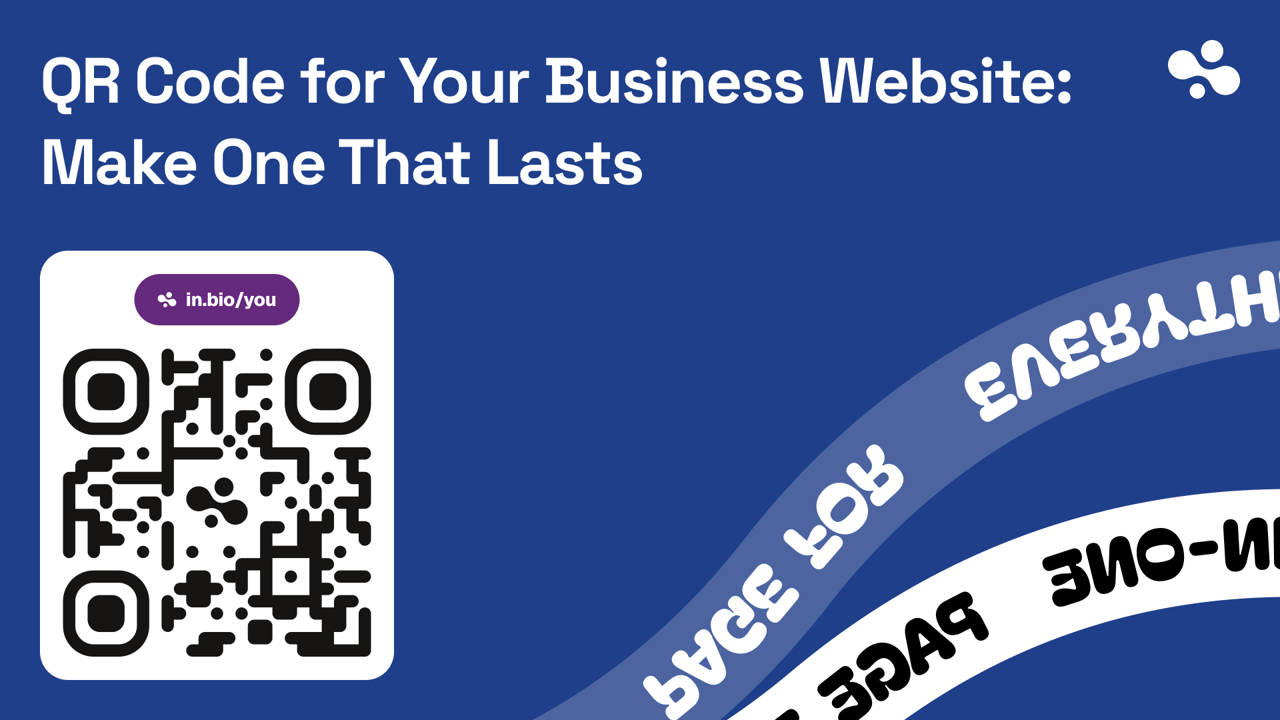
To make a QR code for your business website: point it at a page you control and can update, make a static code (no subscription), print it at least 2 cm (0.8 in) wide with a clear blank border on every side, and scan a test print with two phones before you print the batch. When you scan it, your phone should show your own address, not the generator's short link.
Checked October 2026 against DENSO WAVE's QR code pages (the inventor's summary of the ISO/IEC 18004 standard), QR Code Generator's article "Do QR codes expire?", Bitly's guide to minimum QR size, and Google Analytics help on campaign URLs.
Make the code with any generator
- Open the page you want people to land on, on your phone, and copy its address from the browser.
- In a QR generator, choose the URL or Website type and paste the address.
- Pick static if it asks. If it wants a trial or an account before you can download, it's probably making a dynamic code.
- Download an SVG or PDF for print (it stays sharp at any size) and a PNG for screens.
- Scan the download with your phone's camera. Your address in the preview means static. The generator's domain means dynamic.
Static or dynamic: print static
A static code stores your address in the pattern itself. The phone opens that address, and nothing sits in between.
A dynamic code stores the vendor's short link instead. The vendor forwards each scan to your page, which is how you get scan counts and can change the destination later. It's also why the code stops when the vendor does. QR Code Generator, which sells dynamic codes, says it plainly:
"Dynamic QR Codes can become inactive if a free trial ends, a paid plan lapses, or you reach platform limits." … "The codes deactivate automatically when the trial period finishes." … "If you stop paying, the links pause."
Static codes, the same article says, "do not require an active subscription."
So a dynamic code is a redirect you rent. That's fine for a two-week promotion. It's a bad bet for a window decal, a van wrap or 500 business cards.
You don't need dynamic to change what people see. Point a static code at a page you can edit, and edit the page.
Point it at the page that does the job
Someone scanning your code is standing in front of your business with a phone in one hand. They want one thing: the menu, a booking, your number, today's special. Point the code at a page that puts that thing first and works on a phone.
That's often not your homepage. A desktop-first site with a slider and a menu behind a hamburger icon makes the scanner hunt. A one-page website with call, book and map at the top doesn't. For restaurants, InBio for restaurants shows a table-code page: the whole menu first, then the map and hours, then the socials.
If the goal is a follow rather than an action, print Instagram's own profile code instead (Profile → Share profile). No page to point at yet? How to make a website for your business compares the routes, from a one-page site to a designer.
Print it at a tenth of the reading distance, with its border intact
Size. Bitly's rule of thumb: at least 2 × 2 cm (0.8 in), and a scanning distance of about ten times the code's width. Divide the distance by ten. That's vendor guidance, not ISO, but it's the number to beat.
| Where the code is | Typical reading distance | Print it at least | Top of the page it opens |
|---|---|---|---|
| Business card | In the hand | 2 cm (0.8 in) | Call, email, your work |
| Table, menu or flyer | 30 cm (1 ft) | 3 cm (1.2 in) | The menu or the offer |
| Counter sign | 50 cm (1.5 ft) | 5 cm (2 in) | The one action you want |
| Poster on a wall | 1.5 m (5 ft) | 15 cm (6 in) | Tickets, booking or the offer |
| Shop window | 2 m (6.5 ft) | 20 cm (8 in) | Hours, menu, booking |
| Van or truck | 3–5 m (10–16 ft) | 30–50 cm (12–20 in) | Call, quote form, service area |
Border. The QR standard needs a margin with nothing printed in it. DENSO WAVE, the QR code's inventor: "QR Code requires a four-module wide margin at all sides of a symbol." A module is one of the small squares. Designers like to crop that margin to fit a layout. Don't let them.
Colour. Dark squares on a light background is the reliable choice. A brand colour or an inverted code may scan on your phone and fail on a customer's, so test those at the real distance.
Logos and dirt. QR codes carry spare data so a scanner can rebuild damaged squares, at four levels from L (about 7%) to H (about 30%). DENSO WAVE says Q or H suit codes that get dirty. A logo in the middle covers squares too. So if yours has a logo or lives outdoors, pick Q or H and print it slightly larger, since the extra data makes the pattern denser.
One code is enough, unless you want numbers per placement
One code on every sign, card and van is simpler, and for most small businesses it's enough.
To see which placement works, give each its own static code with UTM tags on the address: yourshop.com/?utm_source=van&utm_medium=qr&utm_campaign=signage. Google says to always use all three tags, or reports fill with "(not set)"; Google Analytics then lists each placement under Traffic acquisition. A longer address means more, smaller squares (DENSO WAVE: "as the amount of data increases, more modules are required"), so print tagged codes a little bigger.
On InBio, scans count as Direct in the page's sources (a Pro view), and InBio's own stats don't read UTM tags. For per-placement numbers, add your GA4 tag on Pro ($9/month) and make tagged codes in any static generator. InBio shows no cookie banner, so consent for that tag is yours. More on reading those numbers in link in bio analytics.
What breaks a printed code later
A static code never expires. The address inside it can.
A lapsed domain turns every printed code into an error page, so turn on auto-renew the day you print. A redesign that moves /menu to /our-menu does the same, so ask for a 301 redirect from the old address before the new site goes live. And on a link page, the address is your username: change your InBio username and the old address stops working, with no redirect, so every printed code that opens it is dead. Someone else can then claim the name.
Pick the address before you print and treat it like your phone number. If you must change it, reprint.
The print wears too. A sun-faded window code or a dirty van is where Q or H earns its keep, and Bitly notes that a glossy surface can make a code harder to read, so go matte where you can.
Before you print
If a test scan fails, it's almost always one of these.
- The code opens the right page on mobile data, not only your shop's Wi-Fi.
- That page puts the scanner's action first.
- The scan shows your address, not the generator's.
- The size passes distance ÷ 10.
- The blank border survived the designer: nothing printed in it, no frame touching it.
- Dark on light, no glare from gloss or glass.
- A test print scans on an iPhone and an Android at the real distance.
- A line next to the code says what it opens: "Scan for the menu", "Scan to book".
Get the code from InBio
InBio is a one-page site at in.bio/yourname, and every page comes with a static code for that address. We make InBio.
- In the dashboard, tap the share icon next to your page's address. Share your page opens.
- Tap QR code.
- Tap Download PNG (1,024 pixels square) or SVG for a print shop or a large sign.
Every plan downloads it: black on white, error correction H, with the InBio mark in the middle. From Beginner ($4/month) you can change the colours and shapes and switch the mark off, which suits a shop sign. Two limits matter here: there's no custom domain, so the code always opens in.bio/yourname, and the download's border is three modules wide, so add about one more module of white around it in your artwork.
More on getting a business online is in A website for your business. Then print the code where the action happens, and put the same address in your Google Business Profile and your bio, so every route leads to one page.