A link in bio is the clickable website link on a social media profile. When a post says "link in bio", it means: go to this account's profile and tap the link there. On Instagram an ordinary caption can't carry a working link, so the profile's link field is the one place a tap reliably goes somewhere. Most people point that link at a link-in-bio page: one page that lists everything they want to share.
Checked October 2026: Instagram lets every account add up to 5 links under Edit profile, free, with no follower minimum. TikTok has one Website field, and you get it at 1,000 followers or with a Verified Business Account. A URL typed into the bio text isn't clickable on either. Instagram captions aren't clickable either, except for Meta One subscribers: from the Advanced plan ($49.99 a month) an eligible public account can add links to a few posts and reels each month.
What "link in bio" means in a caption
"Link in bio" is what a caption says when the thing it's talking about lives outside the app. "Tap the link in bio", "link in my bio", "via link in bio", "registration link in bio": all of them mean the same thing. The link isn't in the post. It's on the profile.
To follow one, tap the account's username, then tap the link under the bio text.
The phrase covers two things at once: the URL in the profile, and the page that URL opens. That second part is where the choices are.
Why the link lives in the bio
The feed is a poor place for a link. Instagram leaves caption links unclickable for ordinary accounts, YouTube makes links in Shorts descriptions unclickable, and the bio text on Instagram and TikTok is plain text. What each platform does give you is a dedicated link field on the profile:
| Platform | Clickable links on the profile | Who gets them |
|---|---|---|
| Up to 5 | Every account | |
| TikTok | 1 Website field | 1,000 followers, or a Verified Business Account |
| YouTube | Up to 14 channel links, the first shown near Subscribe | Every channel |
| Threads | Up to 5 | Every account |
| X | 1 Website field | Every account |
| Up to 3, inside Contact info | Every profile | |
| 1 Website field | Every account |
There are ways around the feed on some platforms: Instagram Stories take a link sticker, long-form YouTube descriptions carry clickable links once a channel has advanced features, and Meta One lets paying Instagram accounts link a monthly allowance of posts and reels (4 posts and 4 reels a month on Advanced). None of them replaces the profile link, because the profile is where every post can send people. The link rules for every platform has the paths and the fine print, each dated and sourced.
How a link in bio works
The catch shows up the moment you have more than one thing to share. The video is about a new product, but the link goes to your homepage. The caption mentions a booking, but the link goes to the shop. Several destinations, one link most people will tap.
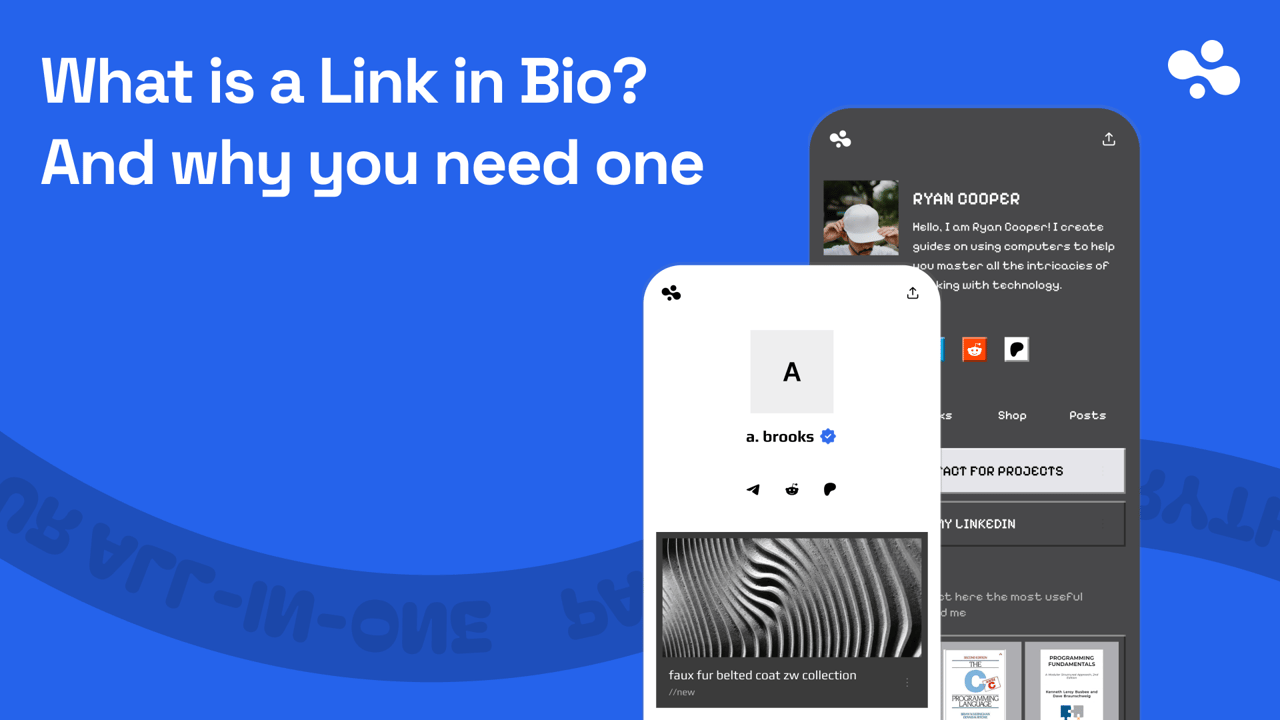
A link-in-bio page fixes that. Instead of choosing one destination, you point the profile link at a page that holds all of them: your other socials, your website, the latest video, your products, a way to contact you. The visitor picks.
- Someone finds your profile on Instagram, TikTok, YouTube, or anywhere else.
- They tap the link in your bio.
- They land on your page: your name, your photo, and everything you offer, in one place.
- They tap through to whatever they came for.
The page is yours, with an address you can share anywhere a link works: an email signature, a YouTube description, a QR code on a flyer. On InBio that address is in.bio/yourname; other tools do the same on their own domains. For the Instagram steps, see how to add a link to your Instagram bio.
Do you need a link in bio, and is it worth it?
If you want anyone on social media to go anywhere, yes: the profile link is the only door most platforms give you. The real question is what to put behind it, and that depends on your situation.
- One link is enough if every post points to the same place: one shop, one newsletter, one website. Put that URL in the profile field directly and skip the extra tap. On Instagram you can add up to five links straight to the profile.
- You need a link-in-bio page if your posts point to different things, if what you promote changes every week, or if the platform gives you one field (TikTok, X, Pinterest). A page lets you swap the top link without editing every profile, and most tools show which links get tapped.
- You need a website if people should find you in search for what you do, read at length, or browse a large catalog. The next section splits the two.
As for whether it's worth it: most link-in-bio tools have a free plan, so the cost is mostly the time to set one up. It pays for itself the first week you have two things to promote and one field to promote them in.
Link in bio vs a website: which do you need?
A link-in-bio page is for people who already found you on social media; a website is for people who haven't found you yet. The page is one screen, built to be tapped on a phone by someone who arrived from a post with one thing in mind. A website is many pages, built to be found in search, read at length and browsed.
| Link-in-bio page | Website | |
|---|---|---|
| Main visitor | Someone who just tapped your profile link | Someone searching for what you do |
| Setup | Minutes, from a template | Days, or a designer |
| Pages | One | As many as you need |
| Address | Usually the tool's domain (linktr.ee/you, in.bio/you); some tools let you use your own |
Your own domain |
| Typical cost | Free to a few dollars a month | A domain plus hosting or a builder plan |
- A link-in-bio page alone is enough if social media is where your customers come from and the page's job is to send them on: a shop, a booking, a newsletter, your other profiles.
- A website alone is enough if you post rarely and people find you through search; put the site URL in your profile field.
- Both is the usual answer for a business that does both. Put the link-in-bio page in the profile and make the website one of its links, so the post traffic and the search traffic each land where they work best.
What to put behind the link
Order the page by the two questions a visitor is asking: who are you, and what do you want me to do next?
- Your links: socials, website, videos, anything you want found together.
- Your content: short posts or updates, so the page isn't static.
- A way to reach you: a contact form or a booking, so interest becomes a conversation.
- What you sell: digital products or paid bookings, if you're monetizing.
Start with links. A page that only lists them already beats a single URL; a page that also collects leads and takes payment is a storefront.
Three examples of a link in bio done well
The same page, three jobs:
- A creator: socials on top, this week's video, a newsletter sign-up, a tip link. The page changes weekly, so followers have a reason to come back.
- A coach: one line on who they help, a booking with live availability, two testimonials as posts. A warm visitor books without sending a DM.
- A small shop: three products sold on the page, a size-guide post, a contact form. The bio link is the storefront.
One pattern each time: who you are, then one obvious next step. The tools that can do all of this are compared in the best link-in-bio tools.
Mistakes that send the tap to the wrong place
- Pointing the link at your homepage. Everyone lands in the same place, whatever post brought them.
- Typing the URL into the bio text. It shows as plain text and nobody can tap it. Use the profile's link field.
- Burying the thing you want most. Ten links in no particular order means the visitor scrolls, or doesn't. Put the one action you care about first.
- Leaving it stale. If the post says "new drop" and the page still shows last month's, the visitor leaves.
- Not measuring it. If you don't know which platform sends the buyers, you can't do more of what works. Link in Bio Analytics covers which numbers to read.
Pick the one thing you most want a visitor to do, put it in the first slot, and point your profile link at a page that holds the rest. To build it on InBio, create your link in bio page from a template. Start with your links, and add downloads, bookings, an AI assistant or a verified checkmark later. What is InBio? shows what each plan includes.
This is the pillar of the link in bio basics series; the rest of it compares the tools and explains the numbers.