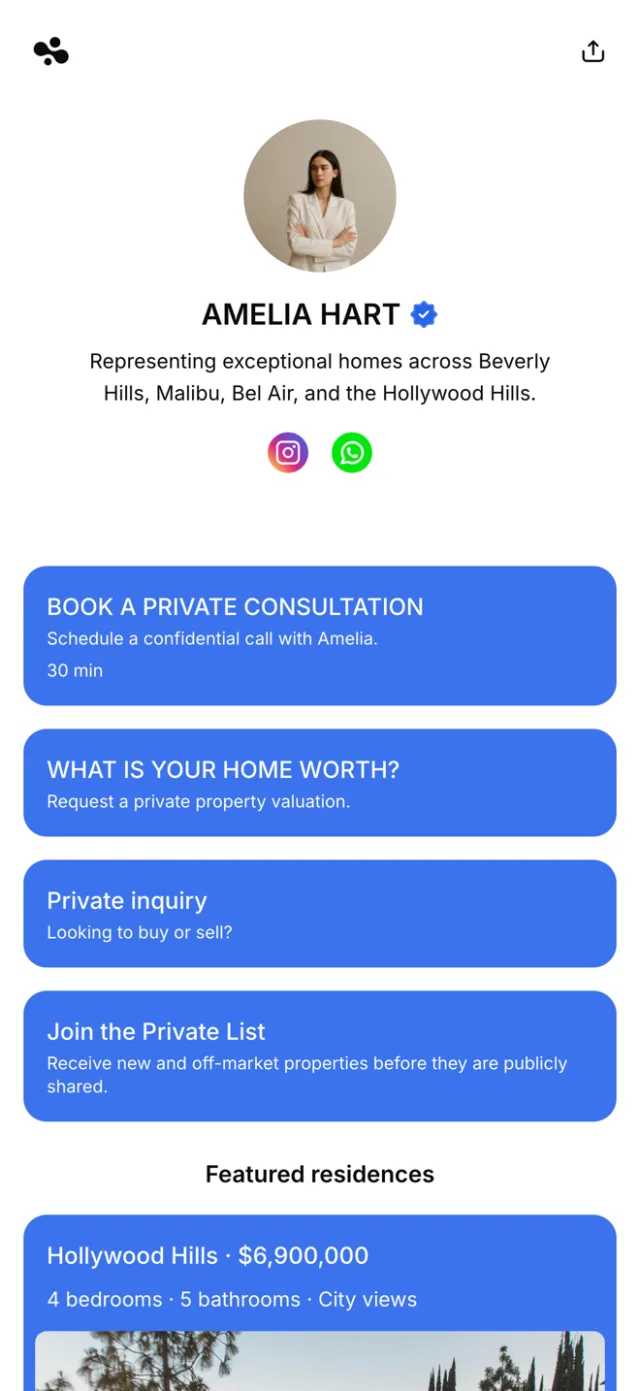
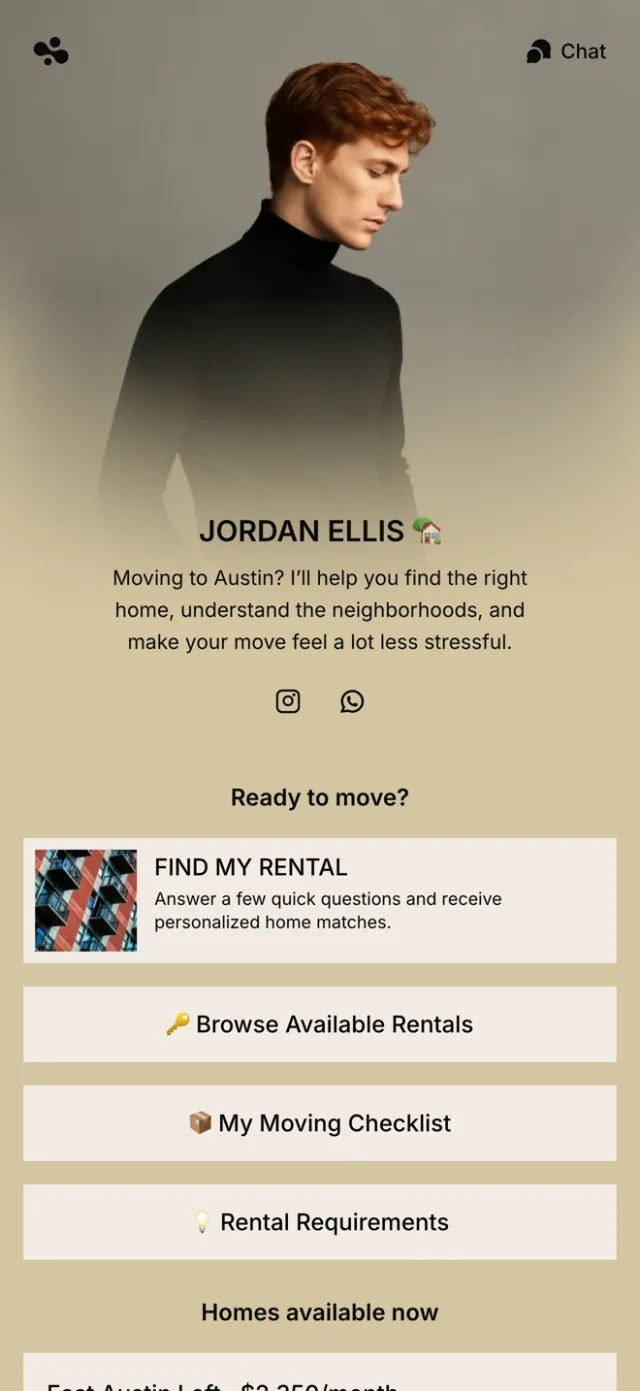
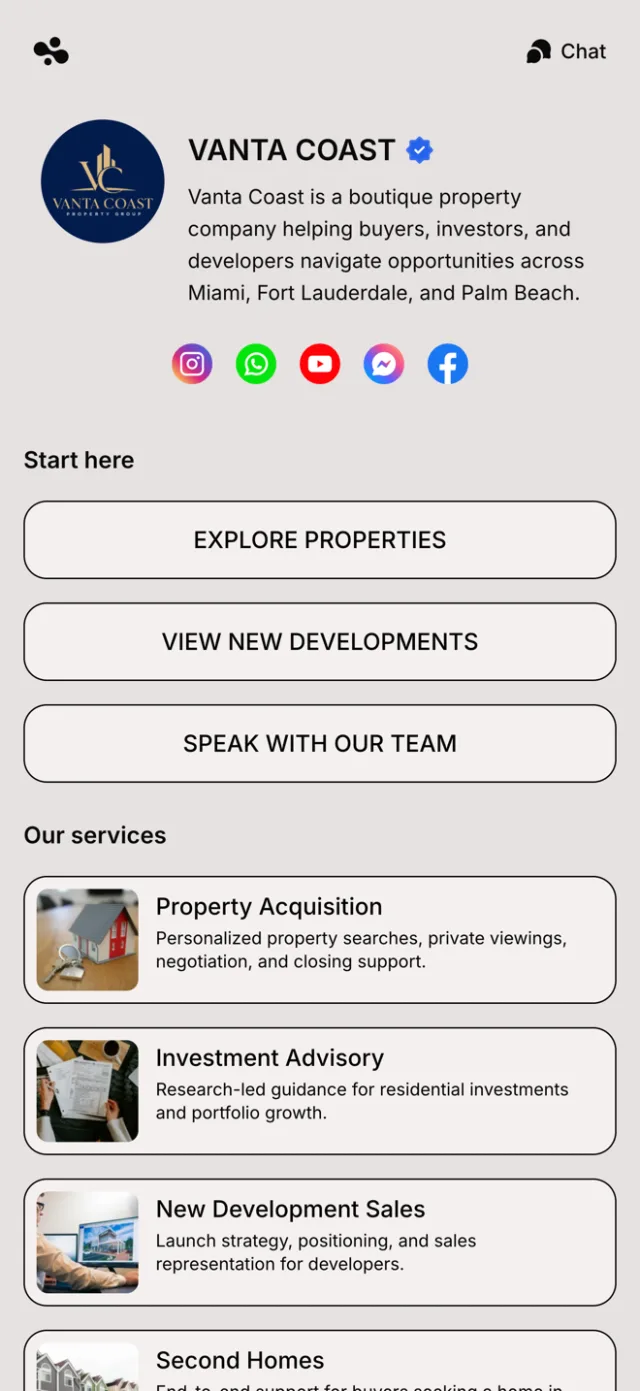
A link in bio for real estate agents is one mobile page for your active listings, your reviews, your socials, and a lead form. A buyer or seller finds you on Instagram, scans the QR code on your yard sign, or takes your card — and lands on one page that shows your work and captures their details. On InBio the page is free. Pro ($9 a month) shows which listings get the taps, and Business ($29) takes consultation bookings.
What you get
- Every active listing in one link. Add each property as its own card — photo, price, and a link to the full listing on your MLS or site. When a listing sells, swap it in one tap. No more “DM me for the link.”
- Reviews and results that build trust. Real estate runs on referrals, and a stranger decides in seconds. Put your five-star reviews, your recent sales, and your brokerage on the page. A first-time visitor sees you’re the real thing before they reach out.
- Capture leads while interest is hot. A buyer or seller who just found you is worth reaching. Add a lead form, or let them book a one-on-one consultation or valuation call. Their name, number, and what they’re after land with you — not lost in a comment.
- Posts for just listed, just sold, and open houses. Write a post — with photos — for a new listing, a sale you closed, this weekend’s open house, or a market update. Your Instagram videos get a live place to point, and the page always looks current.
- The one link every sign, card, and post points to. Add it to your Instagram and TikTok bios. Print it as a QR code on your yard signs, riders, business cards, and flyers. A buyer in the driveway scans it and sees everything — and you update it once, everywhere.
- See which listings actually get tapped. On Pro, analytics show which listings and links your visitors tap. They show the devices and countries buyers come from, and the platform that sent them. You learn what a market wants, and put it first.
At a glance
| Question | Answer |
|---|---|
| What goes on it? | Your listings, reviews, socials, a lead form, and posts. |
| Who is it for? | Real estate agents, realtors, and brokers who market on social. |
| Where do you use it? | Instagram and TikTok bios, yard-sign QR codes, and business cards. |
| Does it capture leads? | Yes — a lead form on Pro, and consultation bookings on Business. |
| Can you track clicks? | On Pro — see which listings and links buyers tap, and where they came from. |
| What does it cost? | The page is free to build. Pro adds lead forms and advanced analytics (clicks per link, traffic sources); Business adds selling and bookings. |
How InBio compares for real estate agents
| Feature | InBio | Linktree | Calendly |
|---|---|---|---|
| What it is | A link in bio page for listings, reviews, forms and bookings | A link in bio page | A scheduling tool with a booking page |
| Price | Free; paid plans from $4 a month | Free; paid plans from $8 a month | Free; Standard $10 a seat a month billed yearly, $12 monthly |
| Lead form | Pro, $9 a month | Email and phone sign-ups on every plan | Routing forms from Teams, $16 a seat a month billed yearly |
| Consultation bookings | Business, $29 a month; free or paid | Every plan; free or paid | One event type on Free; payments at booking from Standard |
| Which links get tapped | Clicks per link and traffic sources from Pro | Per-link insights from Starter, $8 a month | Not checked |
| Your own domain | No: in.bio/yourname | No: linktr.ee/yourname | Not checked |
Checked October 2026 against each tool’s own pricing and help pages.
Why a real estate agent needs a link in bio
Real estate is a social business now. Buyers scroll listing videos on Instagram and TikTok, sellers judge an agent by their feed, and every platform gives you one clickable link. Point it at your brokerage homepage, and a buyer who wanted this week’s listings has to hunt for them. Point it at one listing, and everyone else bounces. The people who find you want your listings, your reviews, and a way to reach you — and one link has to carry all of it.
A link-in-bio page is that single link done right. Instead of picking one destination, you give each visitor a page with all of them: your active listings, your reviews, your socials, and a lead form. They pick what they came for. It’s the difference between sending a lead to a lobby and handing them a directory that also takes their number.
One link for every sign, post, and card
An agent markets in a dozen places at once: Instagram, TikTok, a yard sign, a rider, a business card, a flyer, an email signature. A link-in-bio page is the one place they all point to. Put your in.bio address in every bio. Print it as a QR code on your signs and cards. However a buyer arrives — from a Reel, or scanning your rider in the driveway — one tap lands them on the same page: your listings, your reviews, and a way to reach you.
The payoff: one page to keep current instead of ten profiles. Close a listing, add a just-sold post, swap in a new property, or update your reviews. The moment you save, every channel that points here is current. No editing five bios. No reprinting a card.
What to put on your real estate link in bio
Lead with two or three active listings. Give each its own card — a photo, the price, and a link to the full details on your MLS or site. A short, chosen set beats a wall of properties. Then add a line on who you are and where you work (“Denver realtor”), a headshot, and your best reviews or recent sales. People hire the person and the track record, not just the brokerage.
Then add the part that pays for itself: a lead form and the option to book a one-on-one consultation or valuation call. A seller wondering what their home is worth, or a buyer who wants to talk, leaves their details or grabs a time right there. You follow up while they’re still interested. Keep your socials on the page too. Use posts for “just listed,” “just sold,” and “open house this weekend,” so the page stays alive between listings.
See which listings and links your buyers tap
Most link pages are a black box: you post the link and never learn what people do with it. InBio’s advanced analytics, on Pro, change that. They show which listings and links your visitors tap. They show the devices and countries buyers come from, and the platform that sent them — Instagram or your email signature.
That turns guesswork into a plan. If one listing gets the taps, you know what to feature and what the market wants. If most leads come from one platform, that’s where your next hour of posting goes. You order the page around what buyers and sellers actually do.
How to set it up in ten minutes
Claim in.bio/yourname and choose a template that matches your brand. Add your active listings as cards, and write two lines of bio with your area. Drop in your reviews and socials, and turn on a lead form or a consultation booking. Match the colors to your brokerage, and publish.
Then put that one link everywhere you market. Your Instagram and TikTok bios. A QR code on your yard signs and business cards. Your email signature. When a listing sells or a new one goes live, post it once — and every channel, online and on the sign, is current.