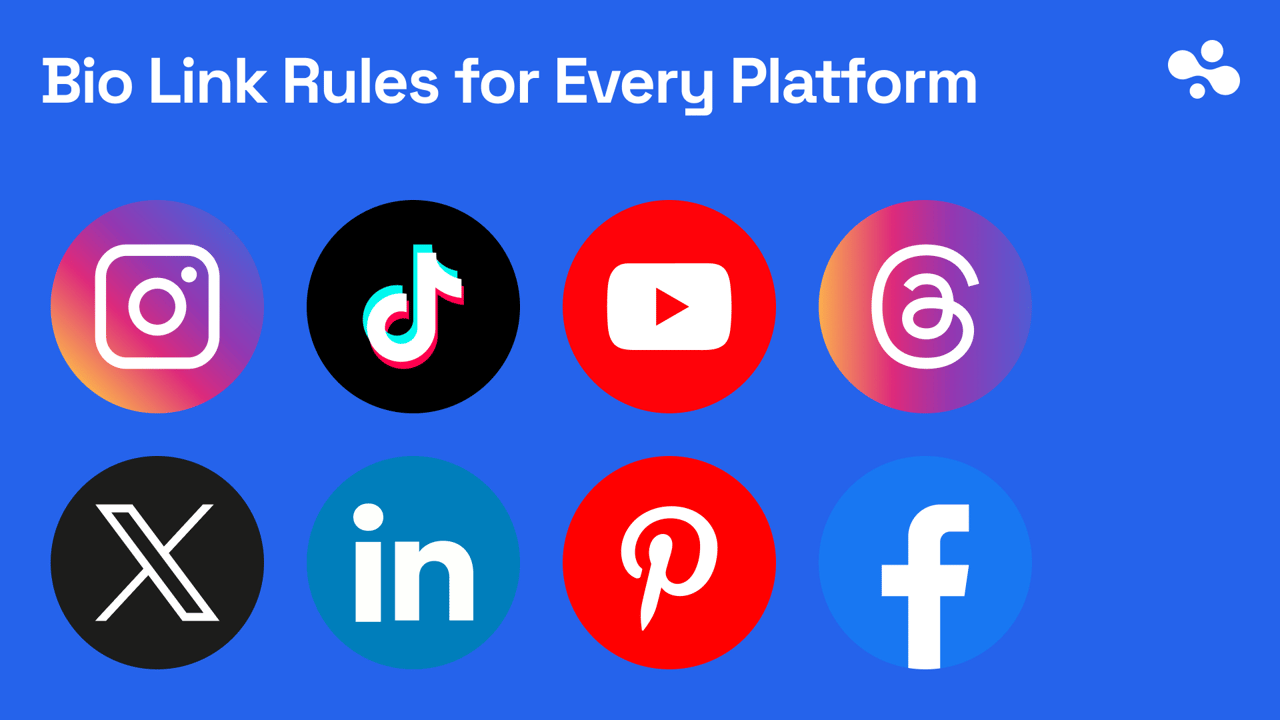
Every major platform gives you a clickable profile link; two gate it: TikTok (1,000 followers or a Verified Business Account) and LinkedIn's visible button (select Premium). Instagram, X, YouTube, Threads, Bluesky, Pinterest, LinkedIn's contact-info links and Facebook Pages are open to any account, with no follower count and no paid tier.
Facebook adds a requirement rather than a gate: the slots belong to a Page, so you need access to one. On TikTok, switching to a Business account does not unlock the link by itself; until you qualify, put a short, retypable URL in the bio text. Bio text is plain text on Instagram and TikTok; the tappable link lives in its own field. Bluesky is the exception: it has no link field in its app, and a URL in the bio text is clickable. If a link is not clickable, check which box you typed it in first.
Which platforms allow links in bio: the rules side by side
| Platform | Links allowed | Clickable on the profile | Links in posts | Gate |
|---|---|---|---|---|
| 5 in Links | Yes. Bio text: no | Only with a paid Meta One plan, within a monthly allowance | None | |
| TikTok | Links field (no number stated) | Yes. Bio text: no. Links that open other social apps: not supported | Typed URLs: no. TikTok's own link anchors: Advanced Access or Verified Business Accounts | 1,000 followers, or a Verified Business Account |
| YouTube | 14 channel links (first shown) | Yes | Long-form descriptions and comments: yes, with advanced features. Shorts: no | None; external info cards need the Partner Program |
| Threads | 5 in the bio | Yes | Yes, with visits counted per link | None stated |
| X (Twitter) | 1 website field, plus a 160-character bio | Yes | Yes; X denies showing link posts less | None |
| Bluesky | URLs in the 256-character bio; no website field in the app | Yes, bio text included | Yes, with a preview card | None |
| 3 websites in Contact info, plus a custom button | Displayed; clickability not stated | Not checked | Websites: none. Button: select Premium Business, Sales Navigator and Recruiter Lite | |
| 1 Website field | Displayed; clickability not stated | Not checked | None; claiming needs domain ownership | |
| Page: Links field plus 1 action button | Displayed; clickability not stated | Not checked | Facebook access to the Page |
Checked October 2026: every row re-read against the platform's own help center or newsroom, linked in the sections below. TikTok's rule changed since our September check: the follower exception is now for a Verified Business Account, not any Business account. Instagram's paid post and reel links moved from a Meta Verified test to Meta One. Bluesky and the links-in-posts column were added on 8 October 2026. We re-check this table monthly.
Instagram: five links, and paid links in posts
Every Instagram account can add up to 5 external links, free, with no follower minimum. Instagram's help center says "You can add up to 5 websites to your Instagram profile" (Instagram Help: add links). URLs typed into the bio text or a caption are not clickable.
The paid exception is Meta One: "Eligible public Instagram accounts with a Meta One subscription can add links to their posts and reels." It starts on the Advanced plan ($49.99 a month), within a monthly allowance: 4 posts and 4 reels on Advanced, 8 and 8 on Expert, 12 and 12 on Max. Teens can't use it, and Meta's own subscribe page still calls Meta One limited and not available everywhere (Meta Help: links in posts and reels). For everyone else, the profile is the place for links.
Path: profile → Edit profile → Links.
If it still doesn't show: if the link saves but nobody can tap it, it is in the bio text; move it to Links. The full Instagram walkthrough covers desktop, ordering, and the story link sticker.
TikTok: the one follower gate on this list
TikTok's rule, in its own words: "You can add a link to a website on your TikTok profile if you have at least 1,000 followers, or if you have a Verified Business Account." Verification is a separate application, so a plain Business account still needs the 1,000. TikTok also "no longer supports links that open or log you into other social media apps." A link to a web page is fine, including those platforms' websites (TikTok Help: add a website link). A URL typed into the bio text is never clickable, on any account.
Path: Profile → Edit profile → next to Links, tap Add → follow the steps.
If it still doesn't show: no Add option means neither route is met yet. If the link is there but not tappable, it is in the bio text and belongs under Links. The TikTok requirements post walks the rest of the troubleshooting.
YouTube: fourteen slots, and the Shorts trap
Any channel can add up to 14 links on its channel page. The first displays in the profile section near the Subscribe button; the rest open behind a tap. There is no subscriber or Partner Program requirement for channel links, only the external links policy (YouTube Help: channel links).
Links in long-form video descriptions and comments are clickable, though YouTube says a channel needs access to advanced features to add clickable external links there. Links in Shorts descriptions and Shorts comments are not: "URLs placed in YouTube Shorts comments and Shorts descriptions are non-clickable" (YouTube Help: sharing links). The info card that points to an external site is for Partner Program channels (YouTube Help: cards).
Path: YouTube Studio → Customization → Profile → under Links, Add link → title and URL → Publish.
If it still doesn't show: the first link only appears on the channel page, not under a video. For Shorts, say "link on my channel" in the Short and put the destination in the first channel-link slot.
Threads: five links, and a click count
Threads lets you add up to five links to your bio, and it shows how many people visited each link, whether it was in your bio or in a post. No gate is stated.
Path: profile → Edit profile → Link (or Bio) → add or edit → Done at the top right (Threads Help: edit your profile).
If it still doesn't show: Meta's help page lists the path and no conditions, so there is nothing to qualify for; if you see one slot, use it for a page that holds the rest.
X (Twitter): one field, open to everyone
An X profile has one Website field, separate from the bio, and X's help center lists it under Edit profile next to "Bio (maximum 160 characters)" (X Help: customize your profile). Any account can set it: no follower minimum, no account type, no paid tier. A URL typed into the bio text is not the same thing.
Path: profile → Edit profile → Website → paste → Save.
Links in posts are clickable on X, and X denies that it shows link posts to fewer people: in April 2026 Nikita Bier, then X's head of product, called that claim "fake news" and advised: "Just post the link in the body of the post and provide sufficient context about what the user will see before they click it" (his post). X has published no policy either way.
Bluesky: the bio text is the link field
Bluesky has no separate link field in its app. A URL typed into the bio, which Bluesky calls the description and caps at 256 characters, is clickable, the opposite of Instagram and TikTok. Bluesky's profile format gained a website field in September 2025, but as of 8 October 2026 the official app neither shows it nor lets you fill it in, so put the URL in the bio (Bluesky's profile lexicon).
Links in posts work too: a post holds 300 characters, links in it are clickable, and a link can carry a preview card of the page (Bluesky docs: posts). No follower count, account type or paid tier is needed for either.
Path: profile → Edit profile → Description → paste the URL → Save.
If it still doesn't show: check the URL has no space or line break inside it; the clickable part ends where the address does.
LinkedIn: three links free, the button costs
A LinkedIn profile can display up to three website links, and they live inside Contact info at the top of the profile, not on the profile face; the help page says they are displayed there and does not say clickable (LinkedIn Help: add a website). That is free for every member. The visible custom button comes in seven labels, such as "Visit my store," and is available only to select Premium Business, Sales Navigator and Recruiter Lite subscribers (LinkedIn Help: custom button). Once added, the button shows on your profile, in search results, in messages, and on feed posts.
Path (websites): Me → View profile → Contact info → edit (pencil) → Add website → URL and type → Save. Path (button): Me → View profile → Add custom button in the introduction section → pick a label, enter the URL → Done.
If it still doesn't show: no Add custom button means your subscription is not in the select group that has it; the three contact-info links are the free route.
Pinterest: one field, and claiming is a separate step
Any Pinterest account has one Website field. Pinterest's help page says people who visit your profile will see it, and does not say clickable (Pinterest Help: add your website). Adding it needs nothing.
Claiming it is separate. You must own the domain and be able to add an HTML tag, an HTML file, a DNS record, or connect Google Merchant Center, which is why a social profile or a marketplace store cannot be claimed. Claiming puts your profile picture on Pins saved from your site and unlocks its analytics. A business account is recommended for claiming, not required (Pinterest Help: claim your website).
Path: Settings → Edit profile → Website → paste → Save (on the app: profile → Edit profile → Website → Done).
If it still doesn't show: a link-in-bio page can go in the Website field but cannot be claimed, because you do not control its domain; that is fine unless you need the claim perks.
Facebook: the Page has the slots
This section covers Pages only; the personal-profile website field is not verified. A Facebook Page has a Links field ("Links to your websites") and one action button, and only people with Facebook access to the Page can edit them; the help page says the field holds links and does not say clickable (Facebook Help: add information to your Page, Facebook Help: add an action button).
Path (Links): the Page → Edit → pencil icon next to Links. Path (button): profile photo → See all profiles → switch into the Page → the Page → Options → Add action button (or Edit action button) → choose a button → Next → follow the prompts → Save.
If it still doesn't show: you are editing as yourself, not as the Page. Only people with Facebook access to the Page can update its information, so switch into the Page first.
What goes in every slot: the same page
X and Pinterest give you one field, YouTube shows one of its fourteen up front, and the rest give a handful at most. Wherever the slots are few, the URL that works best is a link in bio page that holds everything else: the shop, the booking form, the newsletter, the other profiles. Put the same page URL in all nine profiles and you have one place to update when a campaign changes, instead of nine.
The second reason is the numbers. Threads shows visits per link; most of the others do not. A link page with per-link analytics does.
On InBio, basic analytics (views, clicks, click-through rate and time on page) come on every plan, Free included; advanced analytics, including clicks per link and traffic sources, come with Pro at $9 a month (checked October 2026). The page lives at in.bio/yourname, which is short enough to retype from a TikTok bio that has not unlocked the link yet.
This table is part of the link in bio basics hub, next to the explainer and the tool comparison.
Fill the slots today: the ungated platforms first (Instagram, X, YouTube, Threads, Pinterest, your Facebook Page, LinkedIn's contact info), then TikTok once you reach 1,000 followers or your business is verified. Every field gets the same URL.