To run a lead magnet on Instagram: make something worth an email address, put a form behind your one bio link, deliver the file the moment the form is submitted, and point the last line of your bio at it. That is the whole mechanic. Instagram's bio can't hold a form or hand anybody a file, so the steps happen on the page your bio link opens. (Some business accounts can now attach a lead form to the profile's action button; what it does and doesn't do is below.) The thinking is in the first step; the rest is wiring you do once.
The number that decides this isn't your follower count
Follower count is not what decides whether this is worth the trouble, in either direction. What decides it is whether people ask you the same question often enough that answering it once, properly, in a file, saves you answering it again.
If the same question arrives in your DMs most weeks, you have already written that answer a dozen times in pieces. Writing it once, as a file, is less work than the year ahead of you. If nothing gets asked twice, you would be making a lead magnet for its own sake, and the honest advice is to wait until something does.
There is a smaller question hiding inside it: whether you want a form at all. Posting the file on a public link is faster and perfectly legitimate — you would simply have no idea who took it, or how to tell them about the next thing. The form is the price you are asking. Decide which one you meant before you build anything.
What someone will actually trade an email address for
An address is a small price, but it is a price. "Is this valuable?" is the wrong test, because everybody thinks their own thing is valuable. Three narrower ones:
You could have charged for it. If you would be faintly embarrassed to put a price on it, it is not a lead magnet, it is a flyer.
It is finished. A file that exists today. Not a promise of a newsletter starting next month.
It solves one problem this week. "Everything about lighting" is worth nothing. "The twelve shots people forget to ask for" is worth an address.
What passes those tests depends entirely on who is asking.
| Who is asking | The offer | The version that fails |
|---|---|---|
| A bookkeeper who works with freelancers | A dated deadline sheet with this year's thresholds and dates filled in | "Five tips to stay organised" — the same sheet with the useful parts taken out |
| A wedding photographer | The shot list she already sends every couple, because she wrote it for the last twelve | "How to prepare for your wedding day" — something she would have to write, saying nothing only she could say |
| An illustrator | The brush set and color palettes she built for her own work, exported as a file | "Ten tips to improve your art" — advice anyone could have written, and not the thing people ask her for |
| A colorist | A one-page maintenance card: what to wash with, how long the color holds, when to book back in | An ebook. Nobody wants a hair ebook |
| A consultant | The pricing guide with the actual numbers in it | "How to choose a consultant" — an advert wearing a checklist |
None of those started life as a lead magnet. Each is something the person already had, which is the short route: write down what you keep retyping. The bookkeeper's sheet expires, and that is a feature — it is obviously current, and next year's version gives her a reason to send something again.
The other reliable shape is a real piece of the thing you sell: three presets out of ten, installed exactly the way the paid ten install, so the free three are demo and tutorial at once. If the paid version sells from the same page, selling a digital product from your Instagram bio covers the checkout half.
A file you hand to strangers gets forwarded, and the person who opens it third-hand never gave you anything. Give away the thing you are happy to see travel, never the paid product with a free wrapper on it.
Where the form goes: your link page, or Instagram's own lead form
There are two places a form can live, and for a lead magnet one of them does the whole job.
Checked October 2026: an Instagram profile can list up to 5 external links under Edit profile → Links; third-party guides report that only the first displays on the profile face, which Meta's help page doesn't confirm or deny. URLs typed into your bio text are not clickable at all.
Instagram's lead form. Business accounts can add one action button under Edit profile → Public business information → Action buttons, and Meta says you can "connect the button to an online service or add a lead form to gather contact info." Two limits. Meta says the feature "is being gradually introduced and may not be available to you yet", and "only one action button can be displayed on your profile at a time", so the form takes the slot a Book now, Reserve or Order food button would use.
Meta describes it as a way to gather contact info. Its help pages say nothing about delivering a file, which is half of a lead magnet, so use it for enquiries if you have it and keep the download on your own page.
The page behind your bio link. This is where a lead magnet's form belongs: one tappable link, pointing at one page, with the form and the file on it. Three decisions there, all small.
Put the form above your links, not below them. The form is the reason the visitor tapped; anything above it is something they have to get past first.
Ask for the address and stop. A field you do not need is a field somebody has to answer, and a first name you never use bought you nothing. Ask for a name if you will genuinely write "Hi Sam". Otherwise, one field.
Name the button after the thing, not the transaction. "Send me the shot list" says what the visitor gets. "Subscribe" says what you get.
Delivery: the download is there the moment they finish
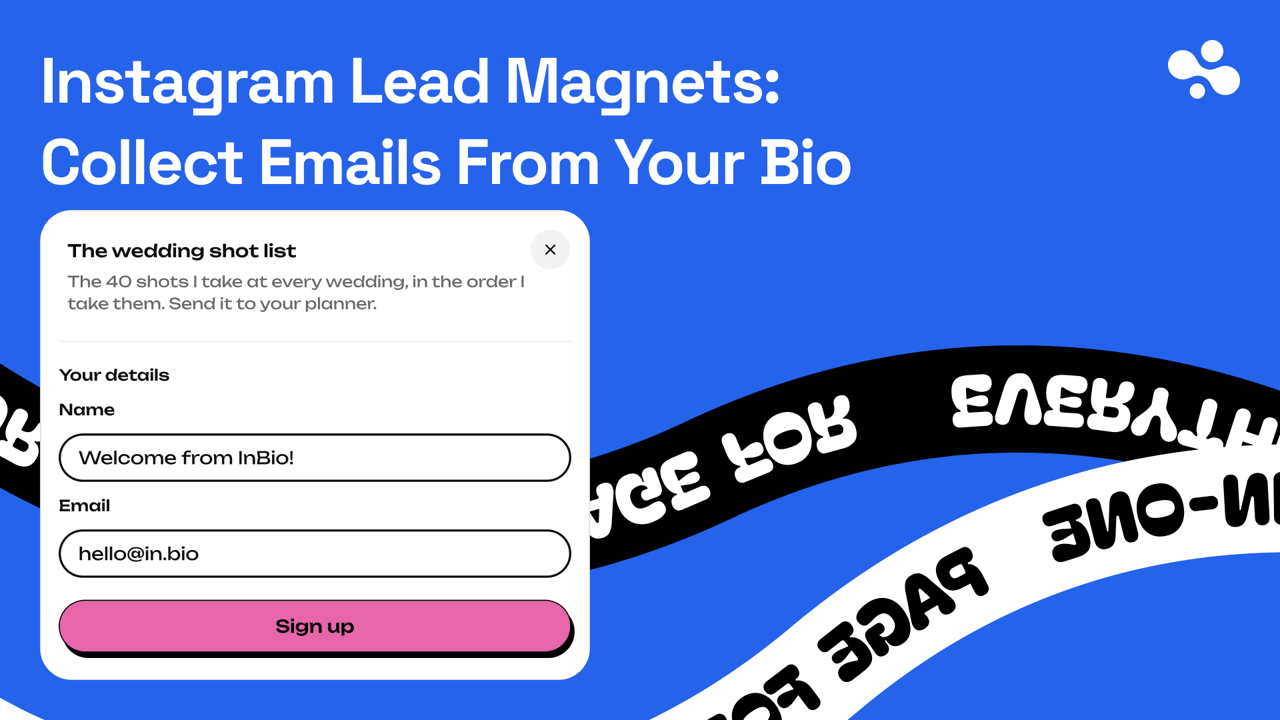
The file is attached to the form, not sent afterwards. On InBio that means adding a Form card to the page, choosing the fields, attaching the file, and writing the button words and the line people see when they finish. The moment somebody completes the form, the file is on the screen in front of them to download, and they also get a confirmation email linking back to a page that holds the same file — so the copy they lose in October is still reachable without asking you. The file itself is never an email attachment.
Checked October 2026: custom forms and lead capture are a Pro feature on InBio, at $9 a month or $90 a year, with a 14-day trial for first-time subscribers. If there is no Form card in your editor, that is the plan rather than a missing setting.
That shape decides what you attach: it has to work as a download, not as a letter. Two things to do once, then never again.
Submit your own form from your phone. Use an address you can actually open, on mobile data, exactly the way a stranger arrives: tap the link in your bio, fill the form, download the file, open the file.
Name the file for the person receiving it. wedding-shot-list.pdf, not final_v3_FINAL.pdf. It lands in a downloads folder among everything else, and the filename is the only thing that will ever identify it again.
Before you collect one address, decide where the list will live
Capturing an address and sending email to it are two different jobs, and most tools do exactly one of them well. A form captures. Something else writes and sends. It is an easy distinction to miss, because both halves get called "email".
So before you build the form, open whatever you are planning to use and answer one question: how do I get these addresses out? There are three answers, and they are three different lives.
- It hands them back to you — a download, an export, a copy button. Your list is portable, the tool is just a form, and you can point it at anything later.
- It hands them to something that sends — a connection into whatever mailing tool you use, so addresses arrive where the writing happens. Least work, most lock-in.
- It holds them and you read them off a screen. Workable at thirty people. Not workable at four hundred.
None of the three is wrong, and a page can run on the third for a long time. What is wrong is finding out which one you have on the morning you sit down to write your first email.
Say what you'll send, on the form, before anyone types
The line under the button is the entire agreement. Make it boring and exact: what arrives now, what arrives later, how often, and how to stop.
The shot list, straight away. Then one email a month when I publish something new. Unsubscribe in one click.
Then keep to it. Promise monthly and send weekly and you have broken the agreement; promise nothing and start sending and you never made one. An address given for a checklist was given for a checklist.
Beyond the courtesy, there are legal obligations around collecting email addresses and sending to them. Which ones apply depends on where you are. It also depends on where your subscribers are, and the answer is not the same everywhere. Find out what applies to you before your list gets big enough to matter. This is not the article for that.
When nobody submits, or nothing works
The link is not clickable. You typed the URL into the bio text field, which never produces a tappable link. Delete it from there and add it under Edit profile → Links instead — the exact steps are here.
Taps, but no submissions. Look at the offer's name before anything else. "Free guide" does not tell a visitor what they are about to get, so name the thing itself, and use the same words in the button, in the bio line and in the caption. The other thing to check is where the form sits: below six link buttons is a long way down the page.
The wrong file, or a file nobody can open. Neither is visible from the dashboard, which shows you the file you meant to attach. A PDF laid out for A4 can be unreadable on the phone where it will be opened. The test submission above catches both.
Point the bio at it, then leave it alone
- Build the page, add the form, attach the file, and test it.
- Rewrite the last line of your bio so it names what people get — "Free wedding shot list ↓", never "link in bio" — with the four-line bio formula doing the three lines above it.
- Use the name of the thing in your next few captions, so nobody has to guess what the tap is for. Caption URLs stay plain text on ordinary accounts; on a paid Meta One plan (Advanced, from $49.99 a month) you can attach the link itself to up to 4 posts and 4 reels a month.
Then leave it alone for a couple of weeks. The number worth watching is not how many people saw the post. It is how many of the people who tapped the link went on to submit the form, and link in bio analytics covers where that comes from and what to change when it is bad.
More Instagram guides live in the Instagram hub, starting with the bio that earns the tap.
If you are starting from nothing, create your InBio page today, write the file this week, and turn the form on with InBio Pro once the file exists. The page itself is free.