Your Instagram QR code is under Share profile: open your profile, tap Share profile below your bio, and the code is on screen. Tap Download to save it, or take a screenshot. Anyone who scans it opens your profile, not your links.
Checked October 2026 against Meta's Instagram help center.
Find and download your Instagram QR code
- In the Instagram app, tap your profile picture in the bottom right.
- Tap Share profile, just below your bio. Your QR code appears.
- To restyle it, tap anywhere on the screen. Color cycles through color schemes, Emoji picks an emoji design, and Selfie takes a photo of you with selfie stickers.
- To save it, tap Download below the code. If there's no Download, take a screenshot and crop it to the code.
Not every account has Download. Where it appears, the code sits on a profile card with your name, photo, bio and links, and Download offers a card video or the QR code. For print, pick the QR code.
On a computer: Settings → QR code
On instagram.com, click your profile picture on the left, click Settings at the top of your profile, then click QR code. Color is the only style here: click a color circle.
There's no download button on the computer. Take a screenshot (Shift-Command-4 on a Mac, Windows-Shift-S on Windows) and crop it with a white border around the code.
When someone scans it: your profile, not your links
The code opens your Instagram profile. It can't send anyone straight to a menu, a booking page or a checkout.
Your links show on the profile card, but the code doesn't open them. Someone at your counter scans it and lands on your grid. Then they find your bio link, tap it, and look for the menu on the page it opens. That's three taps between the scan and the thing they came for.
Nobody needs Instagram to scan it. Instagram's codes have been standard QR codes since they replaced Nametags in August 2020, and launch coverage reported that the stock iPhone and Pixel cameras read them.
No Share profile button, or a code that won't scan
No Share profile button. Update the Instagram app and look again, just below your bio. Still missing? Use the computer path above: Settings → QR code.
You changed your username. Download a new code and replace any printed ones. Don't learn whether the old code still works from a stack of flyers.
It won't scan from a print. Keep the code dark on a light background with a clear white border on every side. Then scan a test print with two different phones before you print the batch.
When to print a different code
Ask what you want the person holding the phone to do.
If the goal is a follow, print Instagram's code. A poster at a gig, a slide at the end of a talk: following is the action, and one scan gets them there.
If the goal is an action, print a code for the page that does it. That page is a link in bio page: the menu or the booking link on top, with Instagram one tap away for the people who want it.
InBio for restaurants shows the setup: the menu first, then the Google Maps link, then the socials. The same page sits in the Instagram bio and on the code on every table, so a new menu is one edit that reaches both.
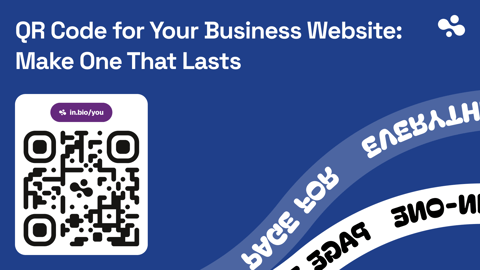
A link-page code opens an address like in.bio/yourname. Swap the menu link or add the weekend special, and the printed code opens the new version on the next scan. Change the username and the address changes with it, so reprint.
Next: make the code, then put the same page in your bio
If you're printing a code for your InBio page, tap Share at the top right of the dashboard, then QR code. Download a PNG (1,024 pixels square, white border built in) or an SVG for a print shop.
Checked October 2026: InBio's share screen offers a QR code for your page's address as a PNG or SVG download.
Then put the same address in the first of your Instagram links, so the table and the profile send people to one place. Here's how to add the link to your bio.
More on bios, links and what they lead to is in the Instagram guides.