Yes, you can put your OnlyFans or Fansly link on an InBio page, on two conditions: the page is marked 18+ in its settings, and nothing explicit is ever uploaded to InBio itself. Turn the 18+ setting on first, then add the link. Those are rules in our terms, not tips, and breaking either one gets the account closed.
The short version, in order:
- Turn on 18+ in your page settings.
- Open your page in a private window and check it loads blurred behind an age check.
- Add OnlyFans, Fansly or both as outbound buttons.
- Keep every image you upload (avatar, header, thumbnails) non-explicit.
- Check the share preview, then put the one link in every bio.
This is a plain reading of our own terms, not legal advice. Where the two differ, the terms are what counts.
What our terms say about OnlyFans and Fansly
Checked October 2026, quoted from the InBio terms (last updated 27 August 2026): "in.bio is not an adult platform, and explicit or pornographic content may never be uploaded here. You may link out to adult platforms where you are a creator — OnlyFans, Fansly and the like — provided you mark your page as 18+ in your settings, which puts an age check and a badge on it. Uploading explicit content to in.bio itself, or running an adult-linking page without the 18+ label, will get your account closed."
Read that as four separate rules.
Linking out is allowed. A button that opens OnlyFans, Fansly or another platform where you are a creator is fine, and it is what the page is for.
Uploading is not. Explicit or pornographic images and video may never be uploaded to InBio. Your InBio page is names, words, links and non-explicit images. The content itself lives on the platform built to host it, behind that platform's own age and payment checks.
The 18+ label is not optional. If your page links to an adult platform, the setting goes on. Running an adult-linking page without it is a breach on its own, separately from anything you upload.
What you sell here has its own list. The terms also say you may not "Sell weapons, drugs, counterfeits, stolen data, credentials, or anything Stripe's own restricted businesses list prohibits." Selling on InBio runs through your own Stripe account, so Stripe's rules apply on top of ours.
What the 18+ setting does
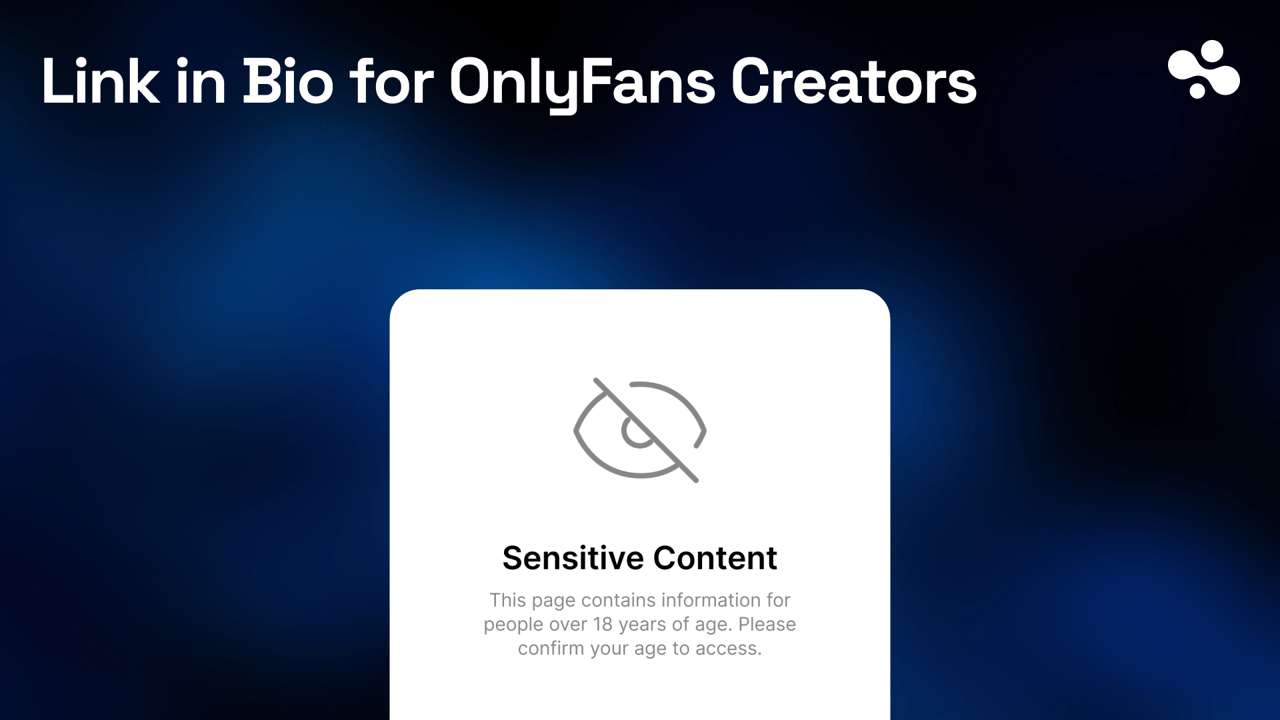
The switch is in your page settings, and it is on every plan. With it on, your page loads blurred and asks the visitor to confirm their age before it shows anything; the terms describe that as an age check plus a badge. The page declares itself adult instead of leaving a filter to guess.
Turn it on before you add the OnlyFans or Fansly link, not after. The order matters if anyone looks at the page in between.
Fansly works the same way
Our terms name Fansly alongside OnlyFans, so every rule above applies to it unchanged: link out, never upload explicit content, 18+ on before the link goes up.
Most creators who use both put both on one page, and that is fine under the terms. Two things make it work better:
- Label each button with what the visitor gets, not just the platform name. "Fansly: daily posts" and "OnlyFans: custom requests" tell a visitor which one to tap; two logos side by side do not.
- If a platform gives you a tracking link, use it on the button. A link made only for your InBio button shows you, on that platform's side, what the page sends.
Fansly, like OnlyFans, runs its own creator verification and its own content and payment rules. Meeting ours is not a substitute for meeting theirs.
Set up the page, in order
- Create your InBio page at
in.bio/yourname. - Turn on 18+ first. Then open your page in a private window: it should load blurred, asking you to confirm your age. That is what a visitor and a moderator see, and seeing it yourself is how you know the setting took.
- Add your links. Socials, OnlyFans or Fansly as outbound buttons, wishlist, Telegram. If you want a contact or custom-request form on the page, forms are on Pro ($9 a month).
- Keep every uploaded image non-explicit. Your avatar, your header, any thumbnail. This is the rule people trip over, because a thumbnail is still an upload. The terms say "explicit or pornographic" and do not draw the line more finely than that, so if you are unsure about an image, ask us before you upload it rather than after.
- Check the share preview. The image and text that appear when your link is pasted into a social post are the first thing a moderator sees. They must suit the platform you post on, which sets its own bar.
- Put the one link everywhere. The same
in.bio/yournamein every bio, so there is one address to keep clean.
What happens if a page breaks the rules
The adult-content clause states the consequence directly: uploading explicit content, or running an adult-linking page without the 18+ label, "will get your account closed." Both halves carry the same consequence, so a labelled page does not earn you room to upload, and a clean page does not excuse a missing label.
For everything else, the general enforcement clause applies: "We may remove content or suspend an account that breaks these rules, and for a serious or repeated breach we may close it without refund. Where it is reasonable to do so we will tell you first."
Three things are prohibited outright on any page, adult-linking or not. The terms forbid you to "Publish sexual content involving minors, content that incites violence or hatred, or content that harasses a person." The first of those is the one no service anywhere treats as a policy question.
Three other rule sets apply at the same time
Following our terms does not settle the rest. Three other sets of rules apply at once, and each is enforced by someone else.
The social platform you post from. TikTok, Instagram and X each decide what they allow in a bio, a caption and a link preview, and they enforce it at their own discretion. We have no data on how any of them treat a labelled links page, and nobody can promise what a moderator or a classifier will do. Their own adult-content policies are the ones to read. Our link rules by platform cover where a link may go on each service, not what it may point at.
The adult platform itself. OnlyFans and Fansly set their own age and identity verification and their own payment rules, and those decide whether you can be a creator there at all.
Rights in what you upload. Our terms put this on you: "You confirm you have the right to use everything you upload, including any image of a person, and that it does not infringe anybody's rights." A picture with another person in it is the case to think about before you upload it.
Common mistakes
- Adding the link before the label. Even for an hour. The terms do not grade by duration.
- A racy share preview on an otherwise clean page. The preview is what a social moderator sees first, and it is the part creators forget to check.
- Assuming our rules cover you everywhere. They cover you here. The social platform and the adult platform judge you separately.
Label first, then link
Turn on 18+ in your page settings, add your OnlyFans and Fansly buttons, check the share preview, and put the one link in every bio. If anything here is unclear for your situation, read the terms rather than guessing: they are the version that counts.
More on how a page like this works in our link in bio basics, alongside what a link in bio is and how the tools compare.