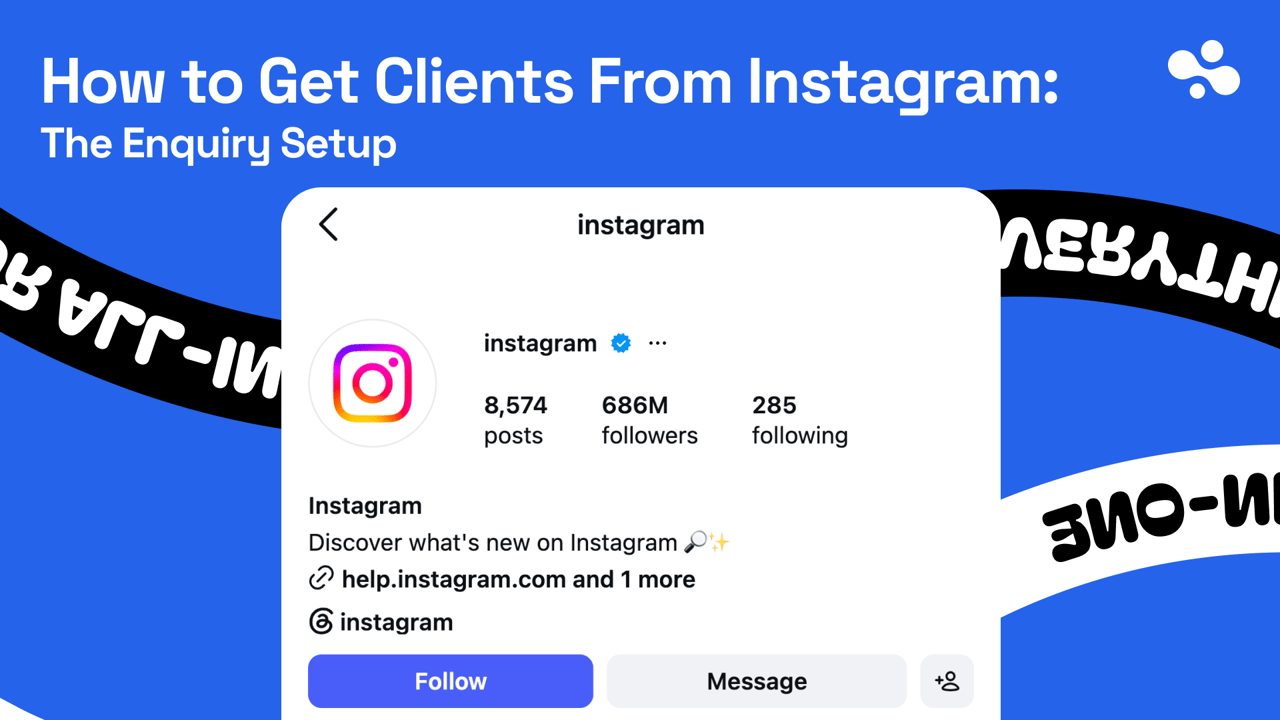
To get clients from Instagram as a service business, build the path a stranger takes from one of your posts to a paid job, then post toward it. Someone sees a post and opens your profile. They see what you do and where, tap your link, and leave an enquiry you can answer. Five things make that path work, set up in order: a professional account with contact options, a bio that says what to do next, a link to a page with a form or booking calendar, proof in your highlights, and a way to move DMs onto that page. This is the setup that turns attention into enquiries; more followers help only once it works.
Checked October 2026, on Meta's help pages: professional accounts can show a category label under the profile photo and a Contact button with directions, a phone number and an email address. Business accounts can add one action button (Book now, Reserve or Order food) connected to a booking partner, or a lead form instead; Meta says the feature is "being gradually introduced". The Instagram bio is 150 characters, and an account can add up to 5 external links.
The five things to set up, in order
Each step is something a stranger sees, in the order they see it. Fix them top to bottom; a good booking page does nothing if the bio never mentions it.
1. A professional account, a category, and a way to reach you
Switch under Settings and activity → For professionals → Account type and tools → Switch to professional account, pick your category and choose Business. The business bio guide covers the switch and what the category label does for your bio. For getting clients, three settings matter more.
Contact options (Edit profile → Public business information). Add only the ones you answer. Email if you check it daily; phone if you pick up or call back the same day; an address only if clients come to you. Then turn on the contact info under Profile display, or the Contact button never shows.
The action button. One decision, three answers:
- You already take bookings through one of Instagram's booking partners: add Book now and connect it.
- You quote rather than book: add the lead form option, which Meta describes as a way "to gather contact info" from the profile. Send yourself a test lead from a friend's account, so you know where real ones will land.
- You use neither: skip the button. The link in step 3 does the same job.
Visibility. Professional accounts can't be private. If your account is private because it's also your personal one, start a separate account for the business.
2. A bio that says who, what, where, and the next step
150 characters, four jobs: who you help, with what, where (or "online"), and what to do next. Naming the area matters because a service has a radius. A plumber three cities away is not a lead.
Two examples, written for this article rather than taken from real accounts:
Kitchen fitting in Bristol & Bath
Design to final tile, one team
Free quotes · send photos ↓
Career coaching for nurses leaving the ward
Online, UK evenings
Book a free 20-min call ↓
The last line names what the link opens, a quote or a call, rather than "link in bio". The business bio guide linked above has the full line-by-line method, with versions for local services, coaches and agencies.
3. One link, pointed at a page that takes the enquiry
Add it under Edit profile → Links. If you have more than one, reorder them so the enquiry page is first; adding and ordering links has the exact taps.
Point it at a page whose first job is the enquiry: a contact form or a booking calendar near the top, not three screens down. A portfolio with a contact page two menus away loses people on a phone. What that page holds comes after the routes table below.
4. Proof a stranger can check in ten seconds
Someone deciding whether to message a stranger looks for one thing first: have other people paid this person and been happy? Highlights hold that answer, because a story added to a highlight stays on the profile after the story itself has gone.
Three highlights cover most service businesses, with a fourth if you get the same questions every week:
- Work. Finished jobs, before-and-afters, a client's result in their words.
- Reviews. Screenshots of reviews you've actually received, on Google or wherever clients leave them, or client messages you have permission to share.
- How it works. The steps from first message to finished job, and what a typical project costs or starts at.
- FAQ (optional). Areas you cover, how far ahead you book, what you don't do.
Only real proof. A review you wrote yourself is the one kind of proof that costs you clients when somebody notices.
5. A handoff from DM to form or booking
The message button sits on every profile, so some enquiries will start as a DM whatever your bio says. That's fine as a start and bad as a pipeline: details arrive one message at a time, and the conversation stalls on the second question.
Checked October 2026, on Meta's help pages: frequently asked questions live under Messages → Tools → Frequently asked questions, up to four, each with an optional automated response, shown when someone starts a message to you. A message from someone you don't follow may land in Requests rather than your main inbox.
Turn on Show Questions and use the four slots for the questions you answer every day. End each answer at the form or the booking page. A kitchen fitter, for example, might answer "How much does a kitchen cost?" with: it depends on size and finish, so we quote from photos, and the quote form in our bio takes two minutes.
Keep one handoff message in your phone's notes for the DMs the FAQs don't cover. Answer their question in a line, then send them to the form or calendar, saying what you need and why. For stalled threads already in your inbox, send that message once to each, then archive the ones that don't reply.
And check Requests daily. A stranger with a job is exactly the person you don't follow.
If an option is missing
- No Contact button or category label: you're still on a personal account, or the contact info is switched off under Profile display.
- No Action buttons under Public business information: you're on a Creator account (action buttons are for business accounts), or the feature hasn't reached you yet, which Meta's help page says can happen. Use the bio link instead.
- No Tools in your messages: put the same answers in an FAQ highlight and lean on the handoff note.
DMs, a form or a booking link: use two, and let the DM lead to one
Most service businesses need two routes. The deciding question is whether you can price the job before you've seen it.
| Route | Use it when | Fits |
|---|---|---|
| DM | The job needs a short chat before anyone knows what it is | Commissions, one-off consults |
| Contact form | You need the same details every time to quote | Trades, design, agencies, photography |
| Booking link | The first step is a fixed-length session or a free intro call | Coaching, lessons, beauty, therapy |
The common pairing is a booking link for a free intro call and a form for anything that needs a quote. The DM becomes the door that leads to one of them.
Put the form first on the page your link opens
The visitor arrives from one post, on a phone, half-decided. In this order, top to bottom:
- One line: who you help and where. The same words as the bio, so they know they're in the right place.
- The enquiry. The form or the calendar, before anything else.
- What happens next. "I reply within one working day with a price or two questions." It answers the worry that stops people pressing send.
- A starting price, if you can give one: "Kitchens from" and your real lowest figure. It filters out the enquiries you'd turn down anyway.
- Two or three pieces of proof: a review, a before-and-after, a result.
- Everything else below: portfolio, Google reviews, WhatsApp, your website.
Keep the form short: name, a way to reply, what they need, where and when, and photos if you quote from them. Add one optional question that pays for itself later: "Which post brought you here?"
A price guide delivered when someone submits the form catches the people who aren't ready to enquire yet; the lead magnet setup covers that version.
Reply the same day, follow up once
Our advice, not a statistic: treat every enquiry as if the person also messaged two of your competitors, because you can't know they didn't. Whoever answers first with a price, a time or one good question is in the best position to get the job.
- Turn on notifications for wherever your form sends enquiries.
- Reply with one next step. Thank them, answer what they asked, and ask for the one thing you need: "Can you send two photos of the space?" or "Here's a link to pick a time."
- Follow up once two or three days later if they go quiet, with something useful rather than "just checking in": a date that's free, a photo of a similar job.
- Then stop. Two unanswered messages is an answer.
Keep a plain list of every enquiry: date, name, which post it came from, what it was worth, and whether it became a job. A spreadsheet is enough, and it's the only record that connects posts to paid work.
Ask which post sent them; your analytics can't tell you
Your bio link is one URL shared by every post, so everyone who taps it arrives "from Instagram". Link-in-bio analytics will tell you how many came and what they tapped, not which post sent them. Two ways to fill the "which post" column in your list:
- Ask on the form. The optional "Which post brought you here?" question. Every answer is a row you didn't have to guess.
- Give each post its own DM word. "Message me PATIO for a price" on one reel, "Message me QUOTE" on another. Counting is manual, but it's exact.
Stories can do better, if the enquiry form sits on your own website. A story's link sticker sends viewers straight to the linked site, so each story can carry its own tag: ?utm_source=instagram&utm_medium=story&utm_content=patio-reveal. Google describes utm_content as the parameter to "differentiate creatives".
Your website analytics then splits visits by story. To count enquiries per story, set the form's submission up as a conversion there too.
Leave the bio link itself untagged. The link-in-bio analytics guide explains why tags belong on the links your page sends people to, and which numbers to read.
Once a month, sort the enquiry list by post. Say one reel gets a few hundred views and two enquiries, and another gets tens of thousands of views and none: the first is the one to make again.
Posts that send people down the path
The setup only works if posts point at it. Three habits do most of it:
- Show finished work and name the area. "Kitchen in Clifton, fitted in nine days" tells a local viewer you're their kitchen fitter.
- Answer one question clients ask before they hire. What it costs, how long it takes, what happens on day one. A post that answers a buyer's question reaches buyers.
- End the caption with the next step, by name. "Quote form in the bio" or "Free call, link in my profile", the same words as the bio's last line.
Followers but no clients: find where the path breaks
Two numbers locate the break. Profile visits are in Instagram's insights for your professional account; taps on your link, and what people did on the page, are in your link-in-bio analytics. Then match what you see:
| What you see | Fix |
|---|---|
| Likes, few profile visits | Captions name the service and the area |
| Profile visits, few link taps | Bio's last line names what the link opens |
| Link taps, no enquiries | Form at the top, five fields at most |
| The client goes quiet after your reply | Reply the same day, with one next step |
| DMs that go nowhere | FAQs and the handoff message |
| Enquiries from the wrong people | Name the area and a starting price |
Set it up this week
Do the five steps in one sitting. Then ask a friend to enquire from their phone without telling you when, and see how long it takes you to notice and reply.
If the page behind the link doesn't exist yet, build it on InBio. It's free to start, and you can add a contact form and bookings later.
Checked October 2026: InBio contact forms are on Pro, $9 a month, and can deliver a file such as a price guide on submit. Bookings with live availability are on Business, $29 a month; an intro call and a paid session share one diary, so a booked time disappears from both. Paid plans start with a 14-day trial for first-time subscribers.
More Instagram setup guides live in the Instagram hub. The one number to work on from today is how long a new enquiry waits for your reply.